Leap is a mobile AI study app. Students can discuss course material with its assistant, then move into flashcards, quizzes, concept maps, and other interactive activities. Sage helps Leap decide when a message asks for a study tool and which action to offer.

Levanto Sage solved one of our hardest product challenges in Leap: reliably detecting when a student wants an interactive tool without paying the latency or cost penalty of a full LLM. It was remarkably easy to implement, and achieving sub-300ms decisions with 0% false positives has elevated our entire conversational experience.
Co-Founder, Leap
From a conversation to a flashcard deck
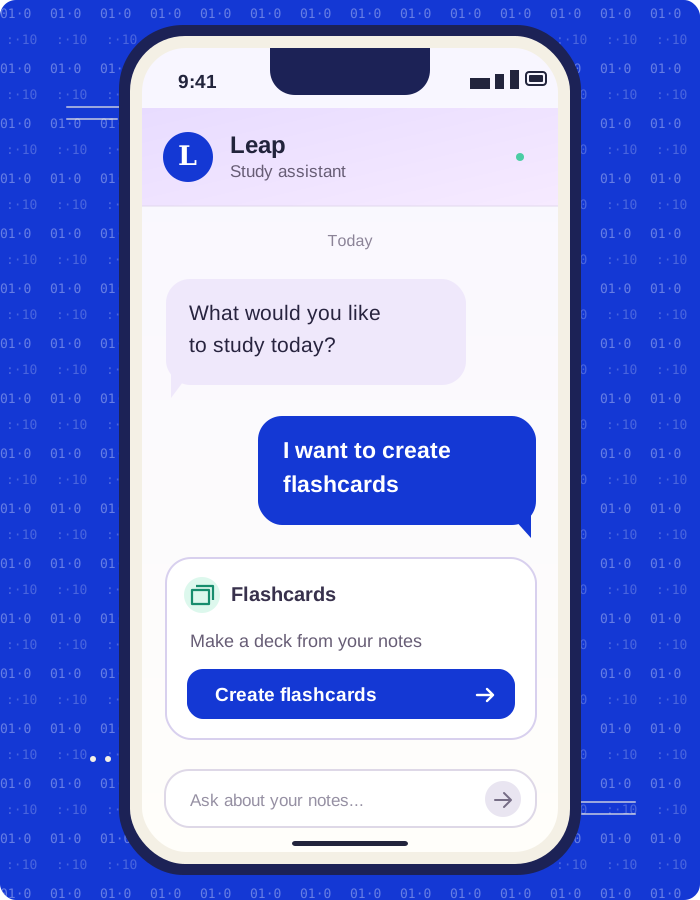
One request in Leap's report is “Genera delle flashcard”—“Generate some flashcards.” When the assistant recognizes that intent, it offers a flashcard action in chat. Tapping it opens Leap's interactive flashcard interface, where the student can save a deck and use spaced repetition.
A missed request can send the student to a plain-text chat response without the saved-deck workflow. An unwanted activation creates the opposite problem: “How do flashcards work in Leap?” is a question, not a command to create them. Leap needs to distinguish those intentions across informal wording, typos, and languages.
How Leap selects a tool
Leap combines a local resolver for unambiguous commands with Sage for messages that need semantic interpretation. A local cache avoids classifying repeated inputs. For a Sage decision, Leap submits one POST /decide/batch request with a content value and three questions in the same group.
| Decision | Question ID | Role in Leap |
|---|---|---|
| Yes/No | wants_leap_tool | Decide whether the latest message asks to start a study activity. |
| Choice | assistente_tool_intent | Select one of 11 application actions, such as creating flashcards. |
| Tags | multi_tool_tags | Find separately requested operations, such as a summary plus flashcards. |
Leap checks the Yes/No answer before using Choice or Tags. The application maps selected identifiers to its own interfaces; the student taps a chip to open one. An intercepted tool request bypasses the conversational LLM's text response, though the selected tool may still generate its own content.
The application decides how to present a choice
Leap's reported single-tool policy requires answer: "yes" and P(yes) ≥ 0.50. A selected-tool probability of at least 0.85 produces a direct action chip. From 0.60 to below 0.85, Leap offers a softer suggestion. Lower scores and null decisions leave the message on the chat path.
This Swift excerpt adapts Leap's policy after response decoding. Batch transport, caching, and multiple-tool handling are omitted.
enum ToolSelection {
    case chat
    case actionChip(String)
    case suggestionChip(String)
}

func selectSingleTool(
    answer: String?, intentProbability: Double,
    chosen: String?, toolProbability: Double?,
    allowedTools: Set<String>
) -> ToolSelection {
    guard answer == "yes", intentProbability >= 0.50,
          let tool = chosen, let probability = toolProbability,
          allowedTools.contains(tool) else {
        return .chat
    }

    switch probability {
    case 0.85...1.0: return .actionChip(tool)
    case 0.60..<0.85: return .suggestionChip(tool)
    default: return .chat
    }
}
The app keeps control of its action catalog and thresholds. Sage supplies structured judgments; Leap decides what a student sees.
A shorter context made the current request clearer
Long study explanations were competing with short commands. In one reported test, a 2,000-word calculus explanation preceded “Make a quiz,” and Sage assigned only 0.21 to P(yes).
Leap changed its serializer to keep the last two user messages, clip history excerpts at 200 characters, and place the current request beneath an explicit label. The serialized conversation context fell from several thousand characters to approximately 150, a team-reported reduction of about 95%. Instructions and the action catalog remain in the request.
The team reports faster classification and more cache hits after this change. The shorter input helps the assistant offer activities promptly without repeatedly sending the full conversation for tool selection.
Results reported by Leap
Leap tested 327 held-out cases three times each, across six languages and mixed-language requests. A separate 151-case split was used for calibration. These are raw Sage benchmark results, separate from measurements of Leap's complete production pipeline.
| Outcome | Reported result | What it means in the study flow |
|---|---|---|
| Overall tool selection | 89.9%, 882/981 evaluations | More requests reach the intended native activity. |
| Ordinary chat preserved | 0 unwanted activations in 480 negative evaluations | Questions about tools stay in conversation in this test sample. |
| Compound requests recognized | 62.5%, 30/48 evaluations | The assistant can identify requests for more than one activity, with room to improve. |
After the teams corrected how Sage processed Tags instructions, Leap's paired evaluation rose from 87.2% to 89.9% overall accuracy. Multi-tool detection reached 62.5%; compound requests remain an area for improvement. Zero observed unwanted activations describes this benchmark sample, not a guaranteed production error rate.
Sources
Leap Engineering Team's September 2026 integration report and Alessandro Rutigliano's supplied quote. Measurements and deployment outcomes are customer-reported.
Build with Sage
Start with one decision.
Bring structured intelligence to your application.